YingClaw in 30 Seconds
👤 Who it's for: Anyone hearing about YingClaw for the first time
⏱️ Read time: 1 minute
💡 In one line: YingClaw is like a new coworker who knows how to use a computer — you give the task, it gets it done.
The one-sentence version
YingClaw is a "digital employee."
Think of it as a new colleague who joined your company — except this one doesn't need a desk, doesn't need lunch, is online 24/7, and can type, research, build spreadsheets, and send notices.
You tell it what to do in plain words. It does it. Then it reports back.
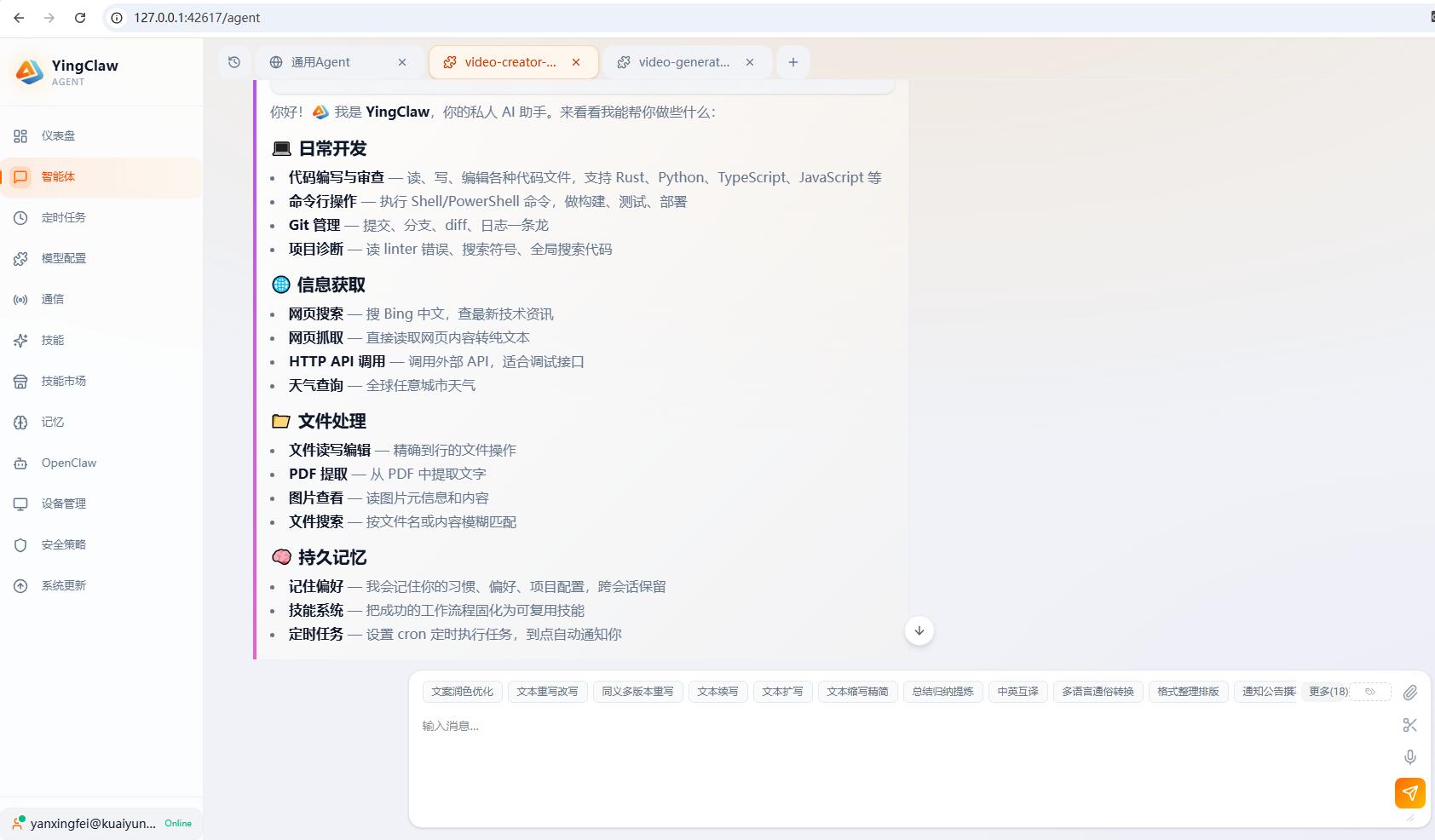 (Screenshot placeholder: YingClaw main UI + a real task conversation)
How is it different from ChatGPT and other chatbots?
Think of it this way —
- ChatGPT is like a consultant: you ask, it answers. But it can't actually do the work for you.
- YingClaw is like an intern: you give it a task, it opens your computer, operates the software, organizes files, sends messages — and actually gets it done.
| What you want done | Regular chatbot | YingClaw |
|---|---|---|
| Ask "what is AI" | ✅ Explains | ✅ Explains |
| Sort these 100 PDFs by client name | ❌ Can only suggest | ✅ Actually sorts them |
| Send me yesterday's sales report every day at 9 AM | ❌ Can't | ✅ Set once, runs daily |
| Watch this website and tell me when there's a new notice | ❌ Can't | ✅ Watches for you |
Where does it run?
On your company's own computers or servers.
Which means:
- The customer data, internal documents, and chat logs you process never get sent to outside websites.
- You and your company fully control the data.
- The longer you use it, the better it understands how your business works.
Do I need to be technical to use it?
No.
- If you can type, use WeChat, and use DingTalk, you can use YingClaw.
- You give tasks in plain language — not command lines, not code.
- The installation is handled by your company's tech team. You just get an account and start.
What's next
- 👉 What it can do for you — see real scenarios, find one that looks like your situation
- 👉 How to get started — first login, first task
- 👉 Common questions — the questions everyone asks